Overview
The EIO Board assists in determining the availability of all employees working in the corporate or satellite offices. Employees check in and out daily for breaks, meetings, lunch, etc. so their calls can be directed appropriately. Community Care Specialists use this information to let callers know if the person they are trying to reach is “in” or “unavailable.” Any detailed information on the EIO by the employee (cell numbers, notice of illness, notes about redirecting calls, etc.) is for internal use only and should never be provided to the caller.
When someone is home, sick, on vacation, on a break, in a meeting, on property inspections, etc. (any status that makes them unavailable to take calls), the caller should be told:
- “________is unavailable at this time. We expect him/her _________ (DO NOT GIVE EXACT TIME; “LATER TODAY,” “ ON WEDNESDAY MORNING,” OR “IN THE AFTERNOON,” WOULD BE EXAMPLES OF APPROPRIATE STATUS) Would you like to leave him/her a voicemail or would you like to have his/her email address?
Determining Availability
To determine the status of Managers, Regional Managers, Manager’s Assistants, Staff Accountants, and Collections Agents, it is not necessary to go directly to the EIO. The EIO status for these individuals is provided on the right hand side of SnapHOA Management under the appropriate HOA on the various tabs for the association.
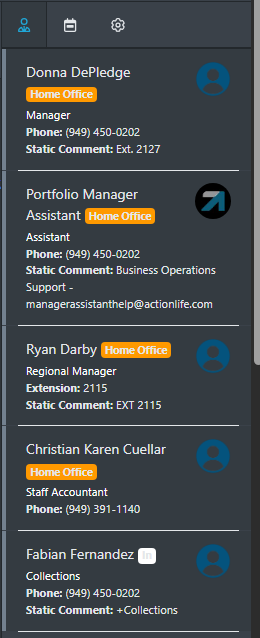
For call recipients that are not included on SnapHOA Management (such as accounting), please use the EIO Board.
Community Care staff members are authorized to update another staff member’s status upon request; with the exception of “checking in”. All employees must check themselves in when they arrive.
The EIO can be sorted by groups by clicking on the tabs at that top. Also see SOP 600: EIO Board for more information.
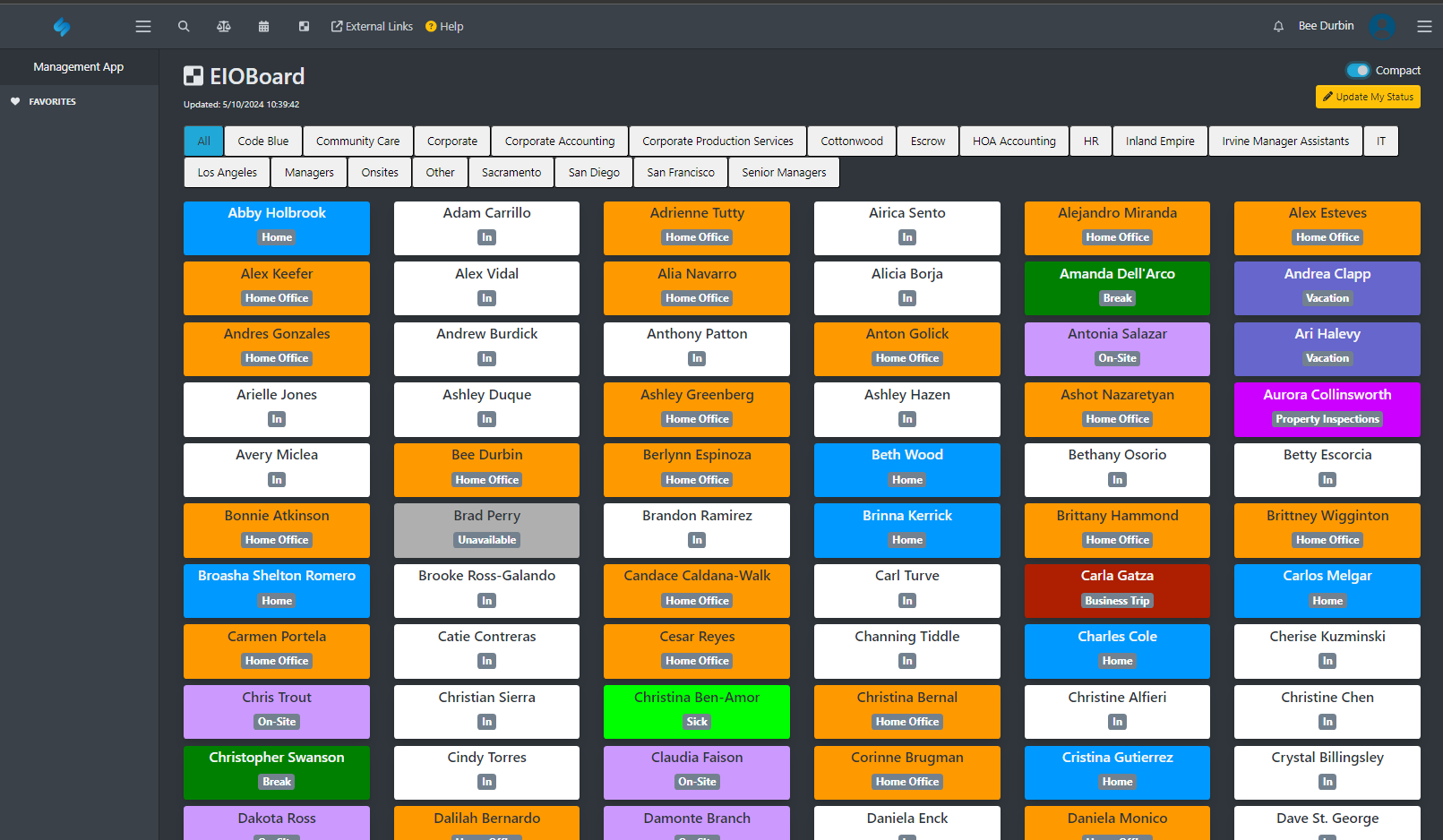
EIO STATUS CHEAT SHEET

(See SOP 600- EIO Board for more details)